
Hangar Flying began as the Panel Designer, where builders and owners lay out an instrument panel with the instruments they mean to install. It is becoming one site for the life of an aircraft: the build, the panel, the first flights, maintenance for as long as it is owned, and the sale at the end. It is made of apps that share one account. What is recorded in one carries into the next: the equipment entered once becomes the panel, and later the list the airworthiness directives are checked against. One membership, $99 a year, opens every tool in the Panel Designer, and the other apps as they come out of test. The Builders Log and MRO are open to every account while they are under test; the Marketplace is open to every account always. A new account has every Panel Designer tool for 14 days from the day it is made (an account made before 15 Oct 2026 has four weeks, from its first visit after that day), with no card asked; after that its designs can be opened and looked at, and changing, saving and exporting need the membership.
The apps, in the order the work happens:
- Builders Log (open, under test): the build, recorded as it happens from a phone in the hangar, with the work, the photographs and every part with its serial number, carried into the aircraft’s records.
- Panel Designer (open): lay out an instrument panel with the instruments you mean to install, then have it cut, painted and labeled through CAD, Cut, Paint & Label. Interconnect drawings, wire sizes and a bill of materials are being added.
- Test & Validation (open, under test): a Phase 1 flight test plan written for your amateur-built aircraft from AC 90-89C, its test cards in the order they are flown, each with what, why and how; test flights recorded with the FAA test card’s fields and each card’s results, the hours and landings counted against the operating limitations; the operating handbook data from the results, and the completion entry signed into the maintenance records.
- MRO (open, under test): Maintenance, Repair and Overhaul for the life of the aircraft. The airworthiness directives that apply to it, inspections, discrepancies and maintenance records, for owners and for shops.
- Marketplace (open): aircraft and airpark property for sale, listed by their owners and checked against the FAA registry.
Two more things belong to the site as a whole. Hangar Debrief is the newsletter, and its articles are on the site. Tools holds the Wire Size Calculator. Each has its own Help article.
An app marked Under test is open to use. Its features may change while it is tested, and what you enter is kept.
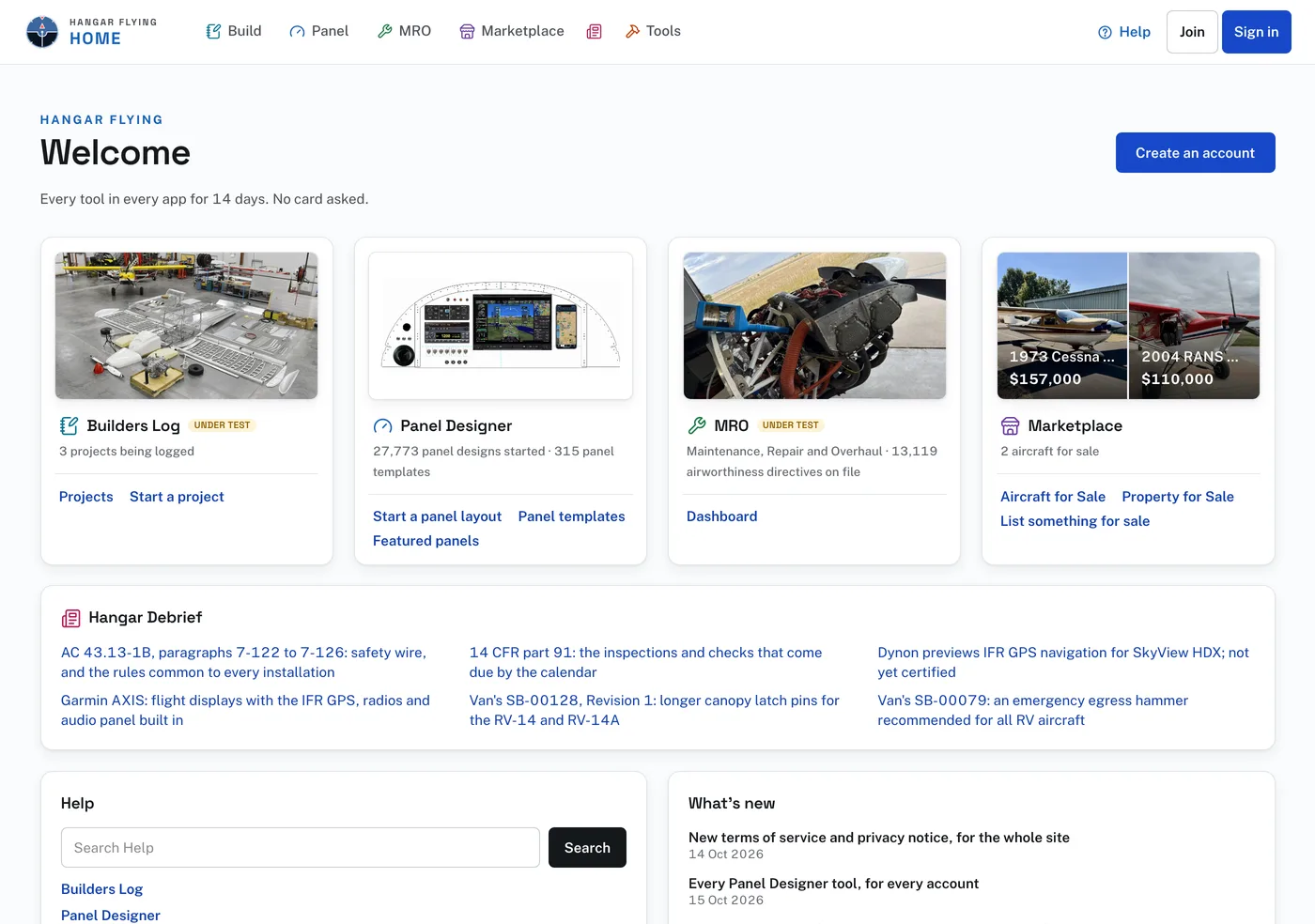
Home, at hangarflying.com, is where signing in brings you. It has a card for each app with the pages used most, the newest Hangar Debrief articles, a Help card with a search box, What’s new, and About Hangar Flying, which lists the apps and says which are open.
The bar across the top of every page names the apps: Build (the Builders Log), Panel (the Panel Designer), MRO, Marketplace and Tools. Press one to go there. The logo opens Home. From a laptop’s width up, Hangar Debrief sits between Marketplace and Tools: its icon, and the word Debrief on a wide screen. At the right are Help, and Join and Sign in. Once you are signed in, the right end holds Help, the search, the bell for notifications, and the button with your initials, which opens your account menu.
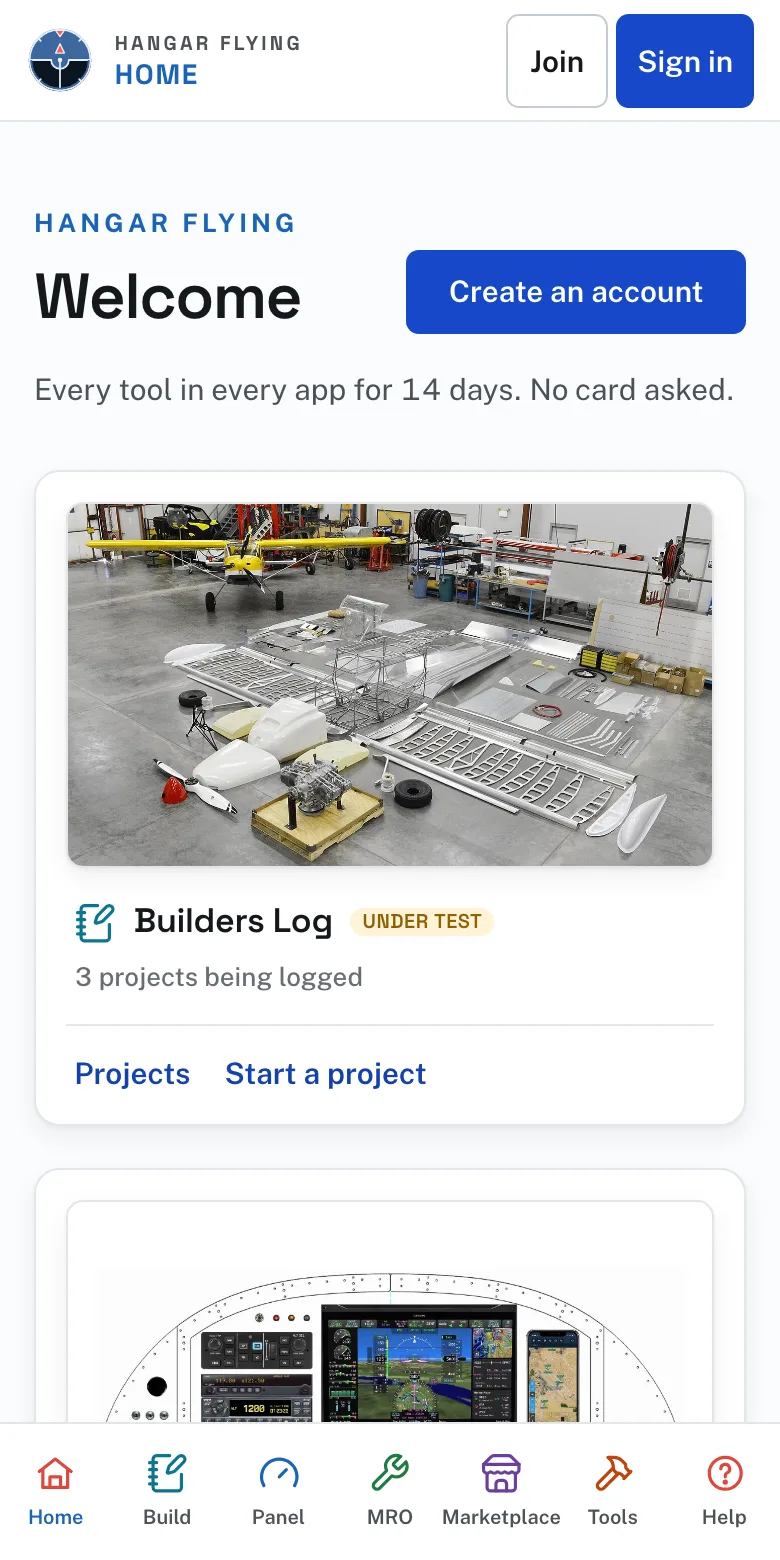
On a phone, Home has the apps in a bar at the bottom of the screen: Home, Build, Panel, MRO, Marketplace, Tools and Help. Inside an app, that bar holds the app’s own pages, and the other apps are behind the square of dots at the top.
The foot of every page lists each app’s main pages, Tools, Help, What’s new and Tell us what goes wrong, with the terms of service and the privacy notice on the last line. On a phone the foot is one line: What’s new and Support.