
Aircraft for Sale and Property for Sale show what is listed as cards, newest first. Each card has the main photograph, the price and the first facts. Press a card to open the listing.
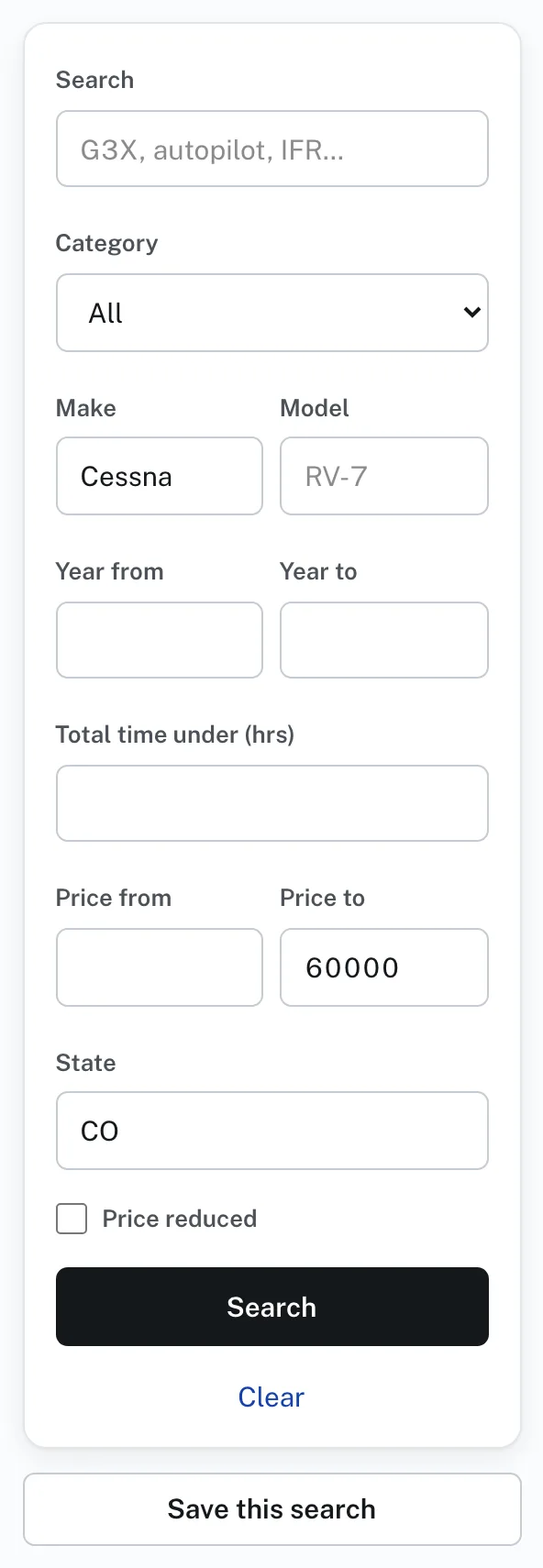
To search:
- Open Aircraft for Sale or Property for Sale.
- Type words in Search, or fill in any of the boxes under it. For aircraft they are Category, Make, Model, Year from, Year to, Total time under (hrs), Price from, Price to and State. For property they are Category, Price from, Price to and State.
- Check Price reduced to see only listings whose price has come down.
- Press Search. Once a search has something in it, Clear, under the button, empties the boxes.
- Sort, above the cards, puts them in order: Newest; Price, low to high; Price, high to low; Year, newest first; or Total time, lowest first. Property for Sale offers Newest and the two price orders.
On a phone the boxes past Search fold behind More filters. Press it to open them, and Fewer filters to close them.
Price reduced: when a seller lowers the price of a listing that is showing, its card and its page say Price reduced and show the earlier price struck through.
Save this search, under the search, keeps a search and emails you what is new. See Saved searches in this Help.
Under every listing, Similar aircraft (or Similar property) shows others like it.