
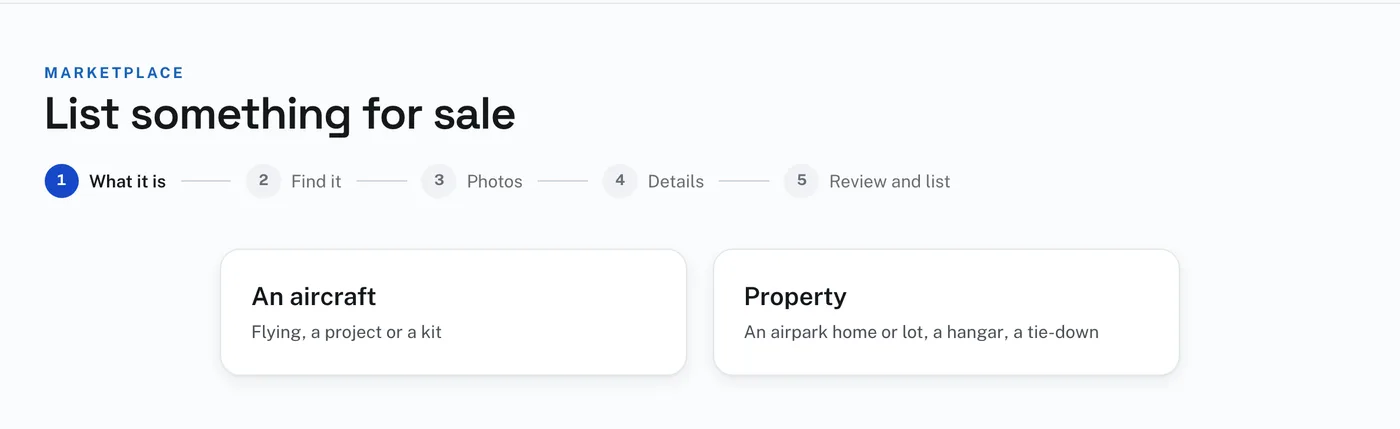
Listing goes in five steps, shown across the top of the page: What it is, Find it, Photos, Details, Review and list (for property the second step is The kind). What you have entered is kept as a draft from the second step on. Leave at any time and pick it up again from My listings.
Already listed on another site? Under Already listed on another site?, paste the link to your listing there, or select all the words of your listing (Command-A on a Mac, Ctrl-A on a PC), copy them and paste them, then press Fill it in for me. The Marketplace reads your listing and fills in the details, the FAA registry adds what it holds for the registration, and, when the other site lets its page be read, your photographs come across too. Some sites, such as Trade-A-Plane and Controller, do not let their pages be read: paste the words instead. Then read every line on Details and change anything that is wrong before you list it.
To list an aircraft:
- Press List something for sale, and choose An aircraft.
- Type the registration number and press Look it up. The FAA registry fills in what it holds. If it is the right aircraft, press Yes — continue to photos. For a project or kit with no registration, press It is not registered yet (a project or kit).
- Press Upload photos and choose your photographs. A video and documents can go up on the same page. Then press Continue to details.
- On Details, under The aircraft, check what came from the FAA and add the rest: the last annual or condition inspection, Airframe TT, the engine and propeller (make, model, serial number and time), Avionics, and Supplemental type certificates installed.
- Under The listing, give the Category, the Title, the Price or Make offer, the City, State and Airport, a telephone number if you want one shown on the listing, the Description, and up to 3 YouTube links. Leave Show buyers the airworthiness directives for this model checked to put those links under Research this aircraft. Press Save and review.
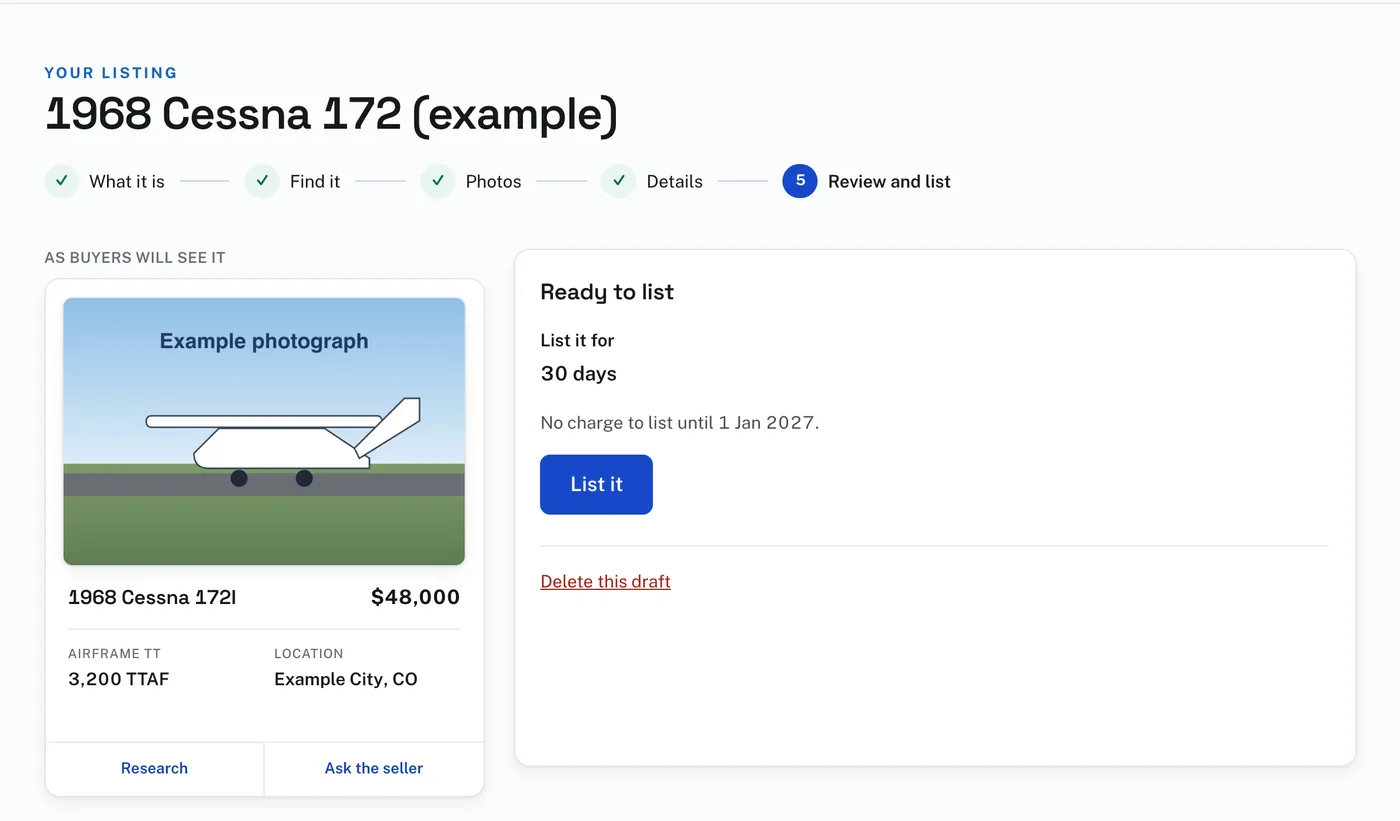
- On Review and list you see the card as buyers will see it. Press List it.
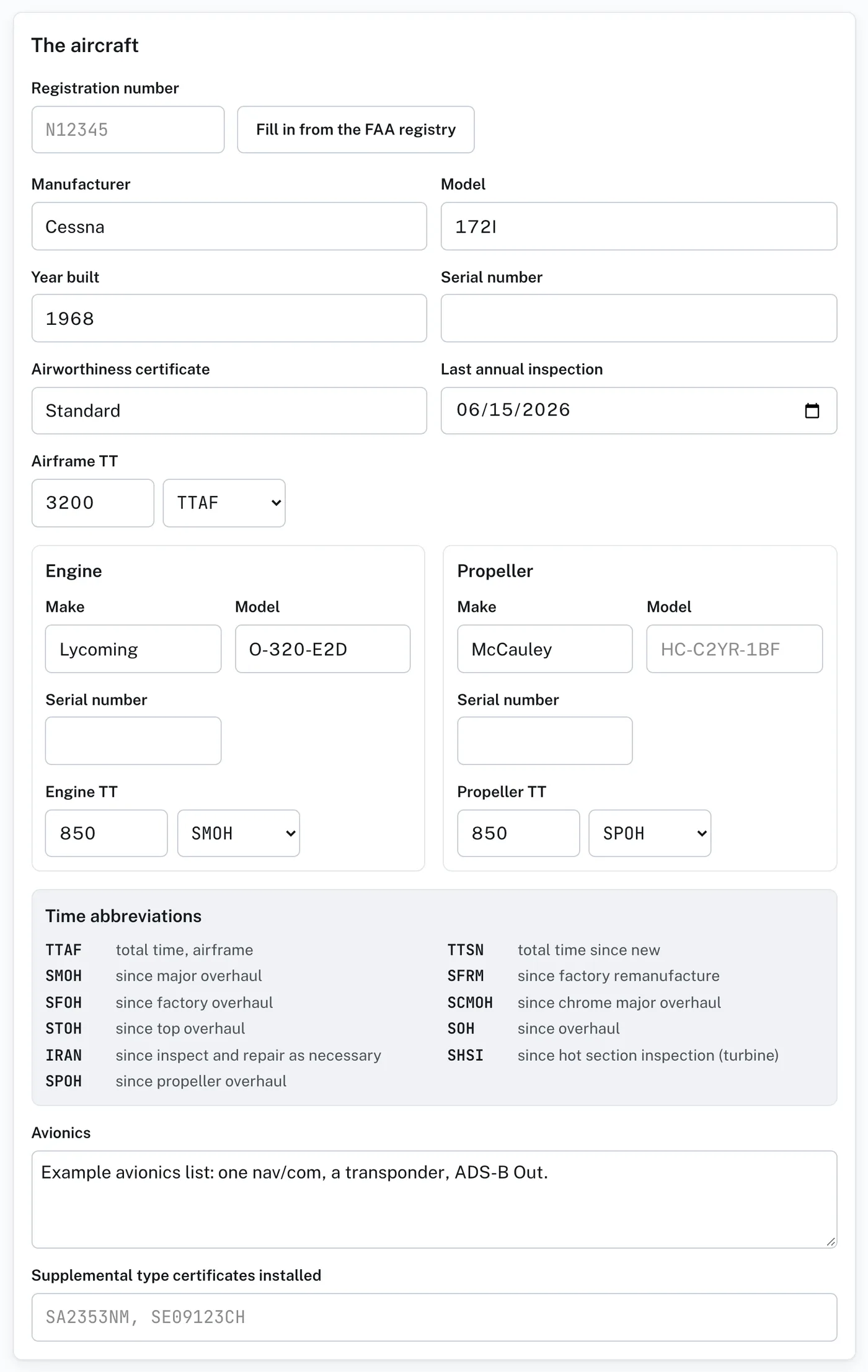
The times are entered as hours and what they are counted from, such as 850 SMOH. Time abbreviations, on the same page, says what each one means.
A listing needs a category, a title, a price or Make offer, the state it is in and at least one photograph. If anything is missing, Review and list says Before it can be listed, with a Fix it link beside each thing.
List it for shows how long the listing runs. Until 1 Jan 2027, while there is no charge to list, that is 30 days. After that you choose 30, 60 or 90 days. The listing comes down by itself at the end.
Delete this draft, on Review and list, is there until the listing has been listed once.
Selling as a business? Under My listings, check A dealer under You sell as and give the business name. Your listings then show it, marked Dealer, instead of your first name.