
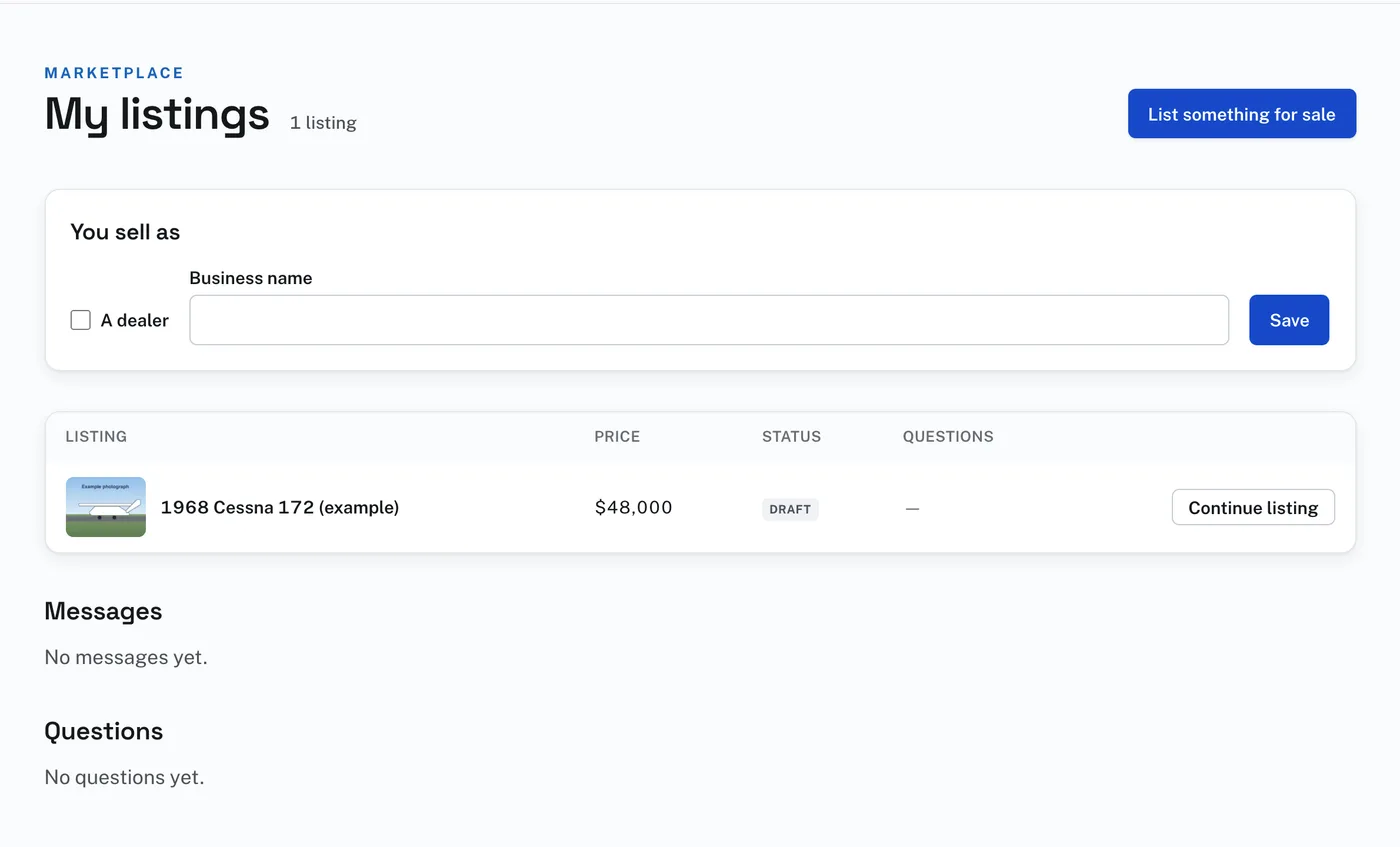
My listings shows every listing you have placed, with its price, where it stands, and how many questions are waiting. The status is Listed until and the day, Ended, Draft, Sold, Withdrawn or Taken down. The button at the end of the row opens the listing: Manage, Renew listing, Continue listing, or See why for one that was taken down.
A listing that has been listed opens on one page with everything about it. Under Listing are Renew listing and, while it is showing, Mark sold, Withdraw and View listing. Under those are its photographs, video and documents, and its details with Save changes.
To change a listing:
- Open My listings and press Manage on its row.
- Change what you need to, such as the price or the description.
- Press Save changes. The page answers Saved.
Renew listing puts a listing back up, or adds its days on to the end of one still showing. Mark sold and Withdraw take it down at once. View listing shows it as buyers see it. A draft can be deleted with Delete this draft on its Review and list step.
You sell as, at the top of My listings, is where a dealer checks A dealer and gives the business name buyers will see. Press Save.
Messages from buyers, and their questions, are further down the same page. Type a reply and press Send reply, and only that buyer reads it. Type an answer and press Send answer; check Show this question and answer on the listing if you want the next buyer to read it. Show it and Hide it change that later. Edit answer, under an answer, opens it to correct; press Save. The buyer is not emailed again. Stop this member writing, or Stop this member asking, ends it from one account.
A listing that is sold, withdrawn, ended or deleted comes off the Marketplace, and Hangar Flying keeps its record.