
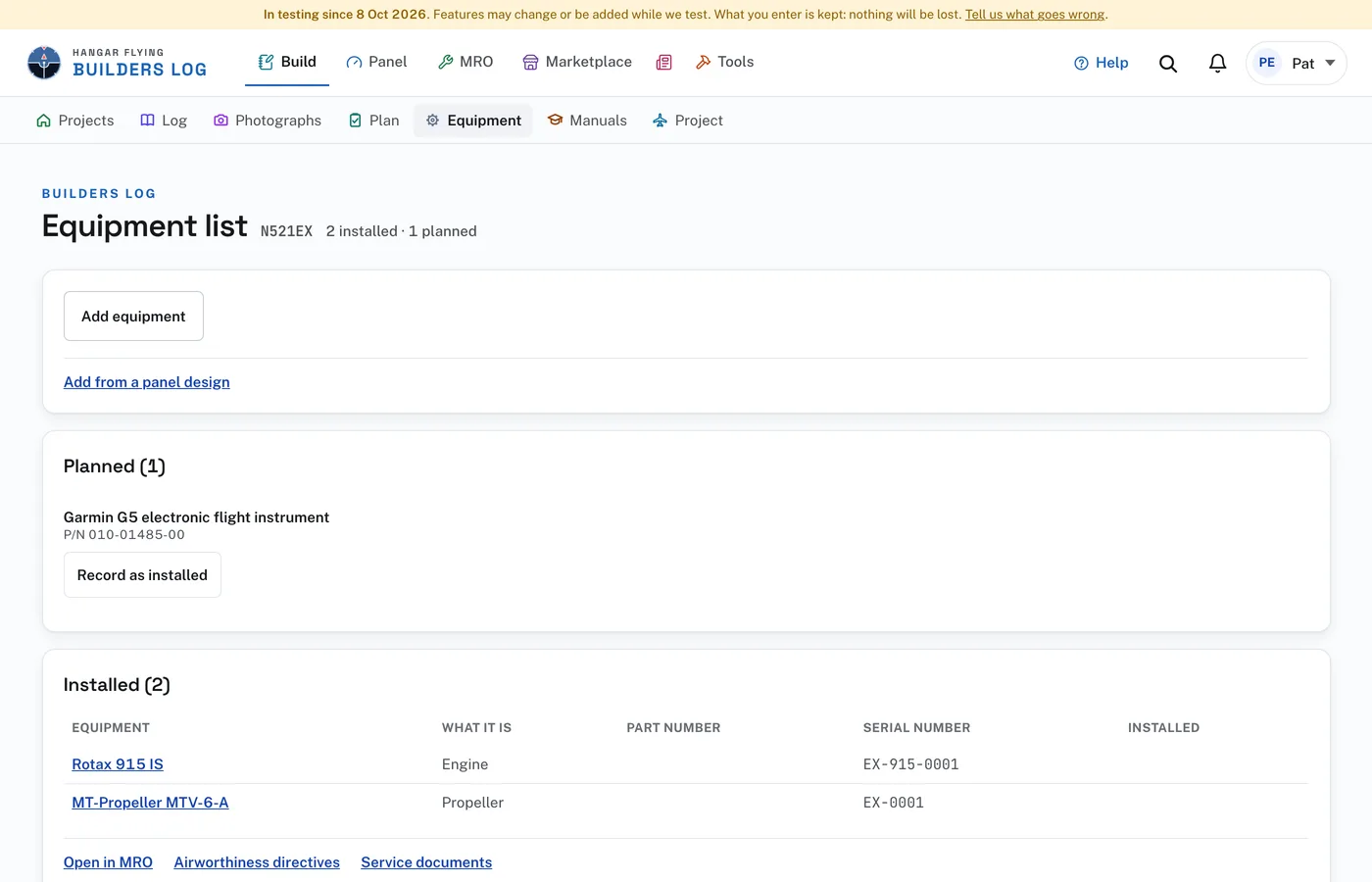
Equipment, in the row under the bar, opens the project’s Equipment list. Planned holds what you mean to install. Installed holds what is on the aircraft, with its part number, serial number and the date installed.
To add equipment without an entry:
- On the Equipment list press Add equipment.
- Enter the Manufacturer, the Model or description, the Part number and the Serial number.
- Under Status choose Installed on the aircraft or Planned, not installed yet. Under What it is choose the kind.
- Press Add equipment.
A planned unit becomes installed with Record as installed: press it, enter the Serial number and the Date installed, and press Record as installed again. Remove from planned, beside it, takes the unit off the list. The engine and the propeller are recorded on their own pages: Record the engine and Record the propeller open them.
On a draft entry, Add a part, in the Parts card, takes the same fields. Equipment list says what the part is to the aircraft: Installed on the aircraft, Planned, not installed yet, or Not equipment (hardware or material) for what the entry only names. A part recorded as installed is dated by the entry.
Add to equipment list, on a draft’s photograph, opens Add a part with the photograph of the part’s label beside the boxes, so each box is checked against the label as it is typed. Where Read the label is offered, the site reads the label into the boxes for about 2 cents. Check each box against the label afterward.
A part recorded as installed is on the aircraft’s equipment list from that moment and is checked against airworthiness directives and manufacturer service documents. It is the same list MRO keeps, so nothing is entered again when the aircraft flies. Open in MRO, Airworthiness directives and Service documents, under Installed, open those pages.
To start the list from a panel design, see "From the Panel Designer to your build".