
The inspection packet is your own record, put in the order an inspector reads it. Open the Project page and press Open the inspection packet. It changes nothing in your log.
Before you print:
- Read what stands above the packet: your N-number, serial number, manufacturer and model beside the FAA registry’s, and anything not recorded, each with a link to where it is fixed.
- Wait for the button to finish loading the photographs. A browser prints only what it has.
- Press Print or save as PDF.
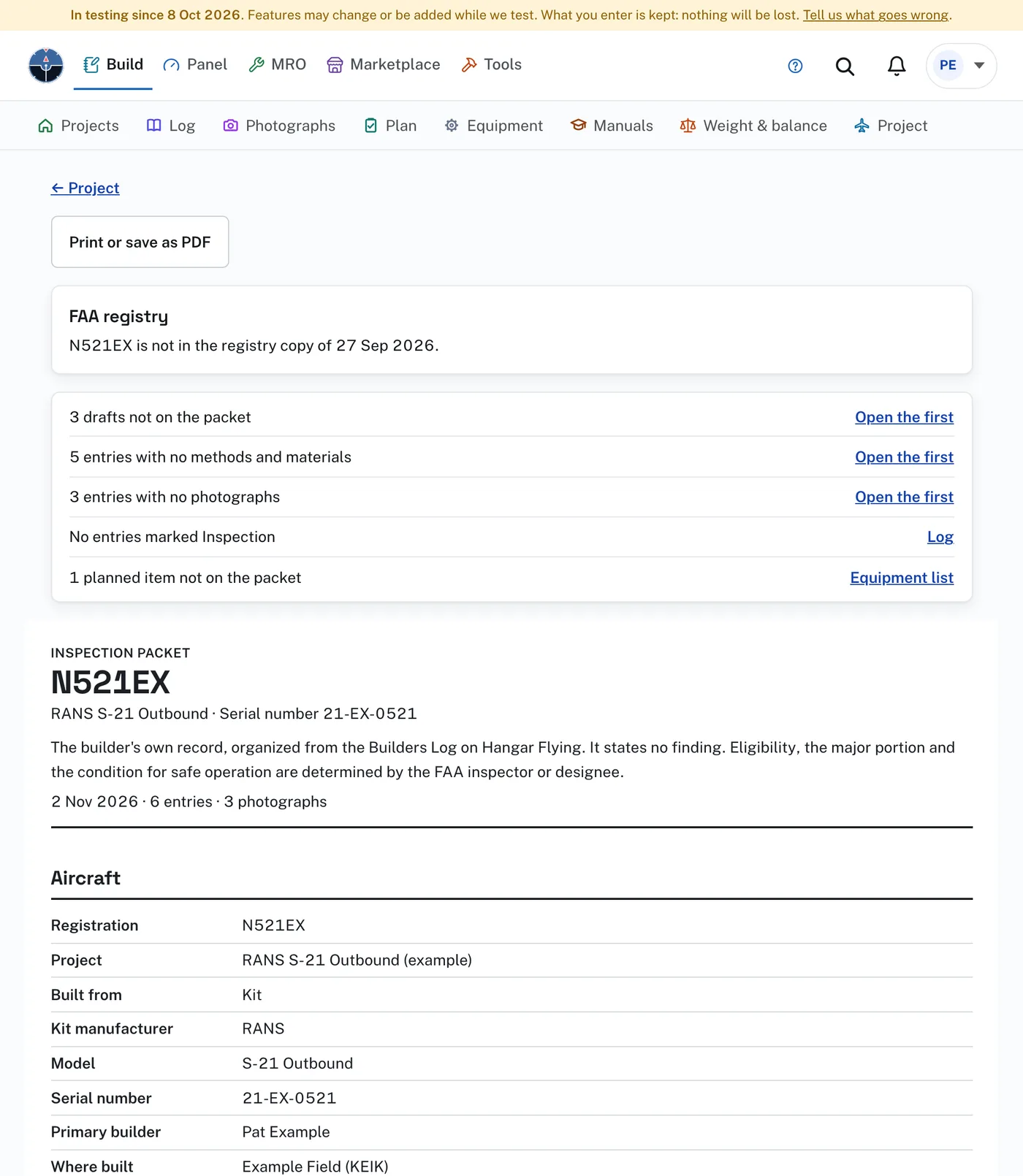
On the packet: the aircraft, a list of sections, who did the work, commercial assistance, entries marked Inspection, every signed entry by section with its photographs, and the equipment list. It ends with a list of what the inspector also sees and the Builders Log does not hold, such as FAA Forms 8130-6 and 8130-12, with a box to mark for each and, on screen, a link to the blank form or the guidance where there is one.
Drafts are left out until you sign them. Private entries are left out until you press Include them. Voice notes are never on it.
The packet states no finding. It does not say your aircraft meets any requirement. Eligibility, the major portion and the condition for safe operation are determined by the FAA inspector or designee. A row marked Differs beside the registry is for you to look at: the registry may abbreviate a builder’s name, and its copy here is refreshed weekly.