
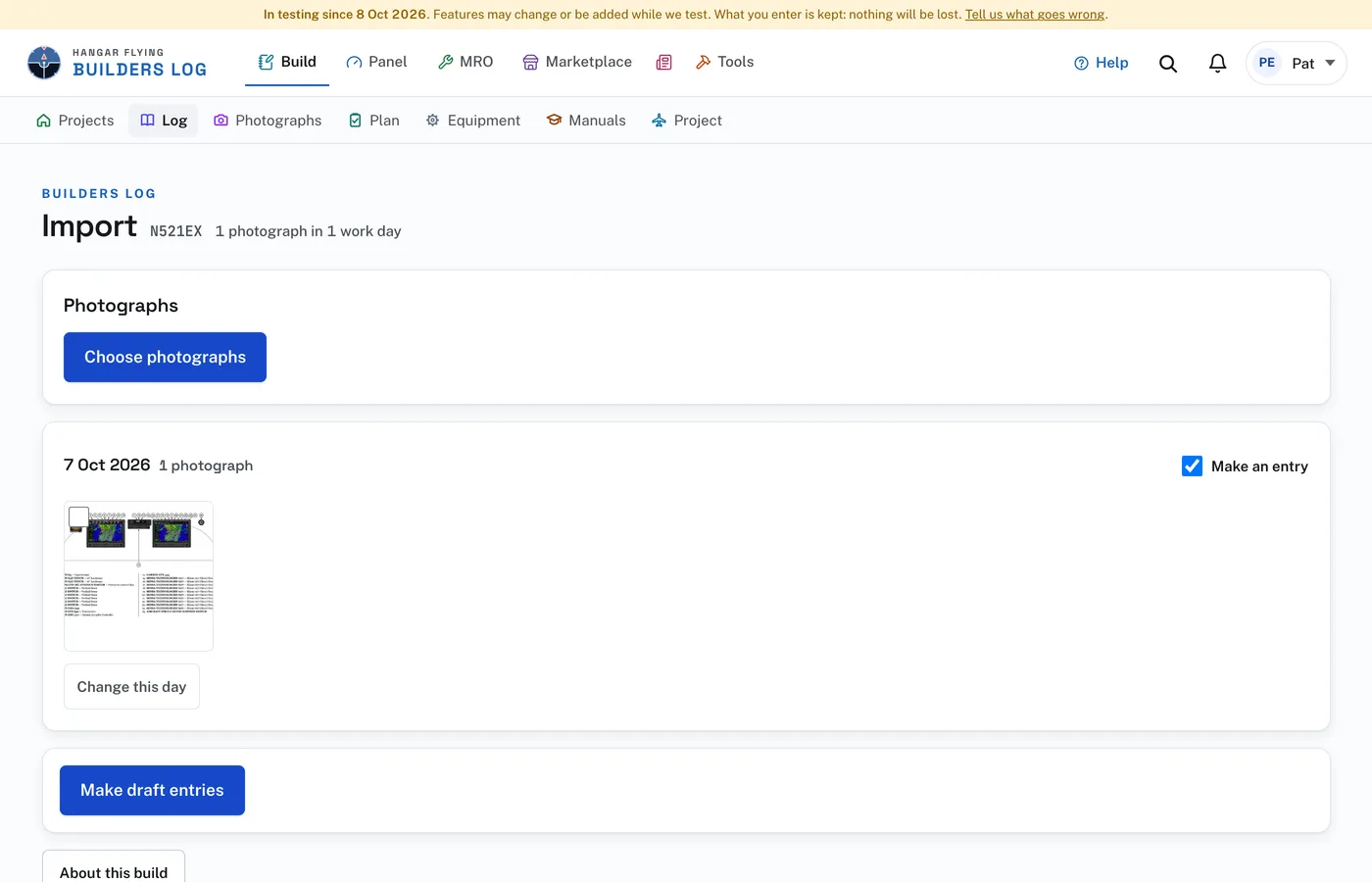
Import photographs, on the project’s Log page, opens the Import page. It turns photographs taken before you started the log, or since you last wrote in it, into draft entries.
About this build, at the foot of the page, opens a few questions worth answering once: Kit came partly built, Already built when you got it, Reworked or rebuilt by you, Date you got it, Hours in a usual session, Photographs taken, and Anything else. None is required. Press Save. The answers go with every day the site is asked to suggest words for, so work somebody else did is not written up as yours. The usual session is offered under Hours on each draft.
To bring photographs in:
- Under Photographs press Choose photographs and pick as many as you like. They are added one at a time, and the page says how far it has got. Any that fail are listed with Try these again.
- The photographs appear as work days, by the date each was taken. Work that ran past midnight stays with the evening it began.
- Change this day, on a day, opens its section and task and the ways to rearrange it. All of it can wait.
- Leave Make an entry checked on each day you want. Press Make draft entries. Each checked day becomes a draft entry with its photographs.
Before making the entries you can put things where they belong, under Change this day. Merge with the day before joins two days that were one task: the entry then covers both, such as "12 Apr 2026 to 14 Apr 2026". To move photographs, check them, give the day and press Move. Leave checked out takes photographs out of the import. They are archived, not deleted. Back to their own days undoes a merge or a move.
A photograph with no date of its own, such as a scan or one that was sent in a message, is listed under No date. Check it, give its day, and press Put the checked ones on this day. The same photograph brought in twice is kept once. An iPhone’s HEIC photographs are accepted.
Suggested words and manuals, at the foot of the same page, has the site read each draft’s photographs and propose its section, a task and what was done. Give it your own copies of the builder’s manuals (PDF) first if you have them: each manual’s list of sections helps place each day’s work. The page says how many drafts have photographs and no words, what reading them costs, and how many are read a day, before you press Suggest words. The rest wait for the next day.
A draft with a suggestion is marked Words suggested in the log. Open it: the suggestion is shown under Suggested from the photographs, with Use these words, which fills in only what you have left blank, and Dismiss. On the Log page, Use all does the same for every draft with a suggestion waiting.
The entries made are drafts, and a suggestion is the reader’s description of photographs, not a record of what you did. Nothing is signed for you. Open each one, correct it, and sign it when it is right.