
Quick entry is for the end of a shop session, with one hand free. Everything except the day and the section is left for later, at the desk. New entry stays as it was for writing a full entry.
To make a quick entry:
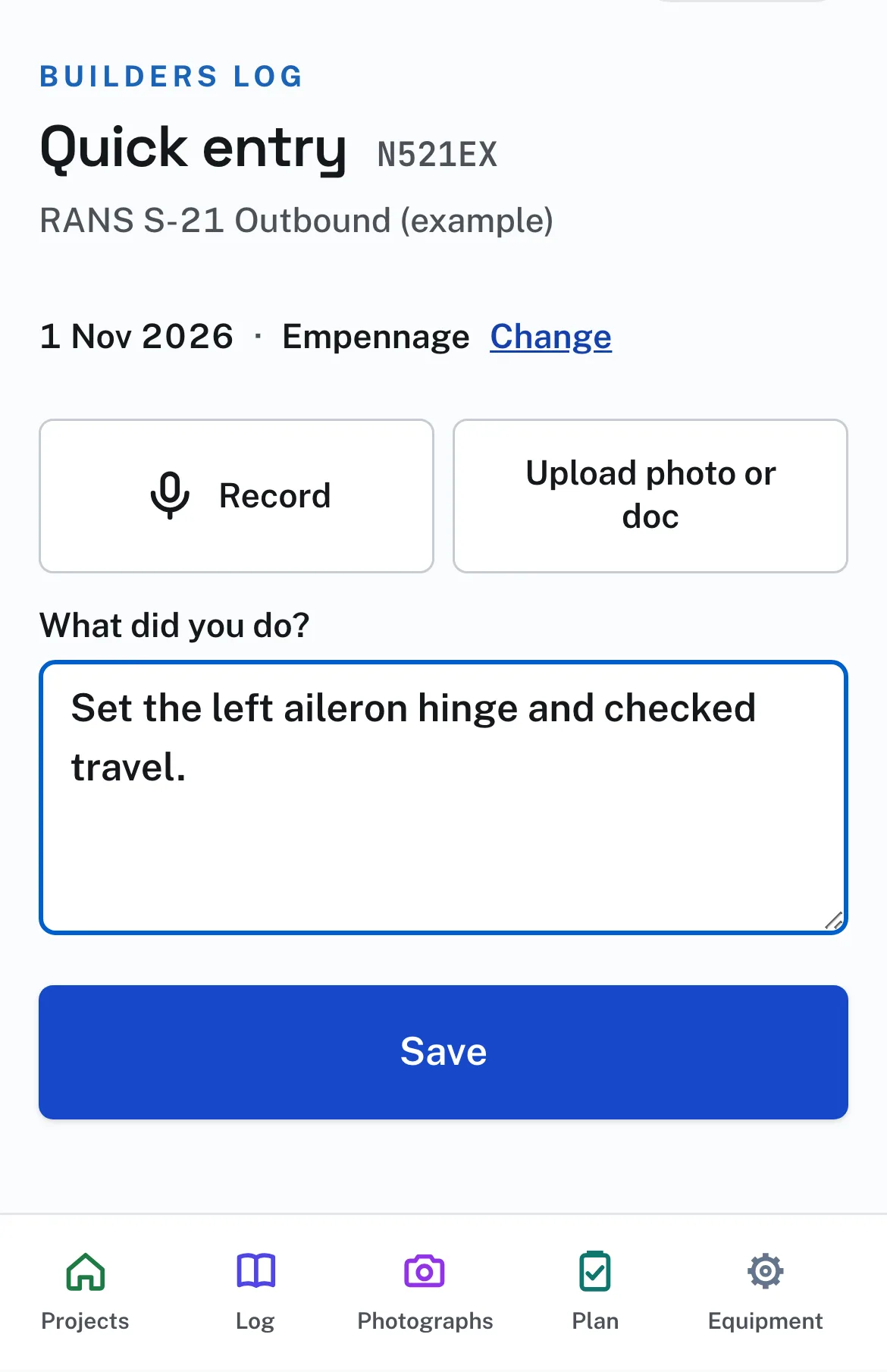
- On the Projects page or the project’s Log page press Quick entry. It opens on today, in the section you worked in last. Change beside them changes either.
- Press Record and speak. The first time, the phone asks to use the microphone: press Allow. Press Save, or Stop if you want to add something first. Upload photo or doc adds photographs, and What did you do? takes typed words. Any one of the three is enough.
- Press Save. The entry is a draft. Sign it from the Log page when it has its words.
If you pressed Don’t Allow, or the microphone is off, Record shows the steps for your phone and browser with a Try again button. A website cannot open the phone’s Settings for you. On an iPhone in Safari it is Settings, Apps, Safari, Microphone. In Chrome on an iPhone it is Settings, Apps, Chrome, then turn on Microphone. On Android, press the icon at the left of the address bar, then Permissions. Try again keeps what you have entered.
A voice note stays with its entry as sound. The site does not turn it into words. To have words, press the microphone key on the phone’s keyboard in What did you do? and speak: that is the phone’s own dictation. A note can run fifteen minutes. A phone call, or leaving the page, stops the recording and keeps what was recorded.
Each voice note keeps the day and time it was recorded, by the phone’s clock, shown above it on the entry. A voice note counts like a photograph toward the time worked: record one when you start and one when you stop, and on the draft, under Hours, Use offers the hours between them. Nothing is filled in until you press it. Days worked on the Log page counts the days of your entries.
Voice notes are private to you. They are on the entry’s own page, under Voice notes, and on no shared log, even when the entry is shared. Remove takes one off a draft. A signed entry keeps its voice notes. They are in the project’s Export, in a folder of recordings.
A weak signal loses nothing. Saved means saved on the phone first, then sent to the log, and the page says which. While it waits, a line at the top of every Builders Log page says what is on this phone, with Send now. It is tried again by itself while a Builders Log page is open, and whenever the signal returns. If you leave Quick entry without pressing Save, the page opens as you left it, and the Log page offers Finish your quick entry.
What is waiting is held in this browser on this phone. Open a Builders Log page when you are back in signal, and do not clear the browser’s data until the line has gone. In a Private tab nothing is kept once the tab closes, and the page says so: keep it open until the entry is sent.
If the log goes quiet, the site can remind you. On the Project page, Reminder emails you once when the log has had no entry for 7, 14 or 30 days, and once more only after new work and another quiet spell. It is off until you choose it.