
Projects is the first page of the Builders Log. Each build on your account is a card. Press a card to open that project’s Log page.
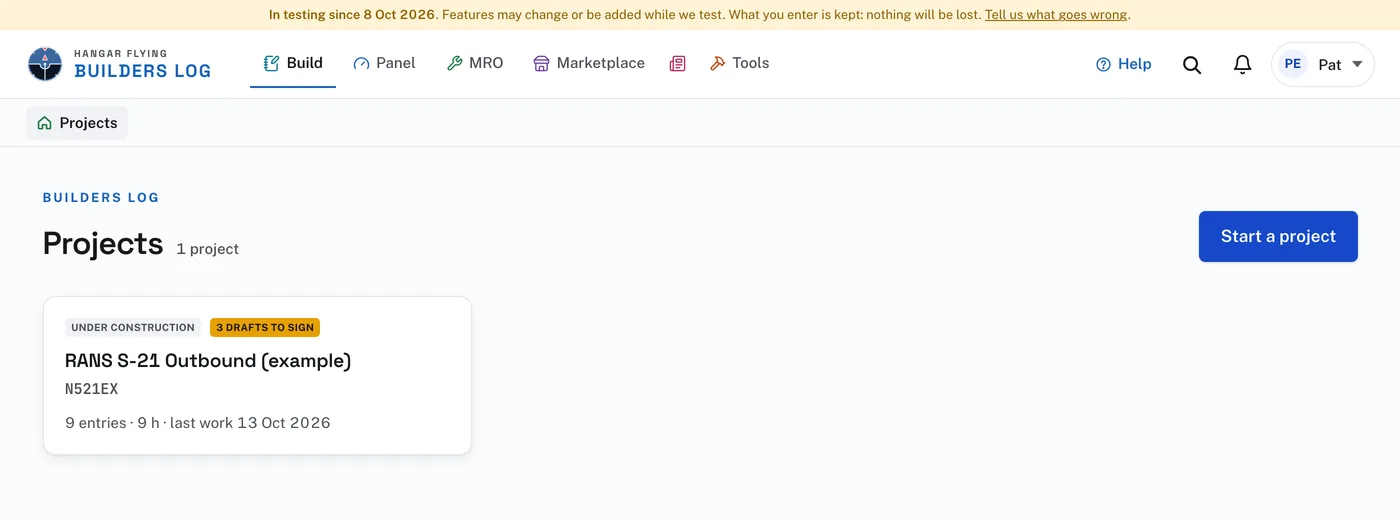
A card shows the state of the build: Under construction, Under restoration, Being rebuilt or Upgrade in work, and Certificated or Complete once the date is entered on the Project page. A second mark counts the drafts waiting to be signed. Under the name is the registration, or the serial number until there is a registration, then the number of entries, the hours and the last day of work.
Start a project, at the top, begins another build. An account can hold as many projects as it needs.
Shared logs, under your projects, lists the logs their builders have chosen to share, with a photograph, what is being built and by whom. Press one to read it. One of your own is marked "yours". Somebody who is not signed in sees this list too, with only the logs shared with anybody. A log is listed once it has an entry a reader may see.