
Two things come across from the Panel Designer: the instruments on a design, and the POH figure made from a design. Both are member tools, open to every account in its first 14 days.
To put a design’s instruments on the equipment list:
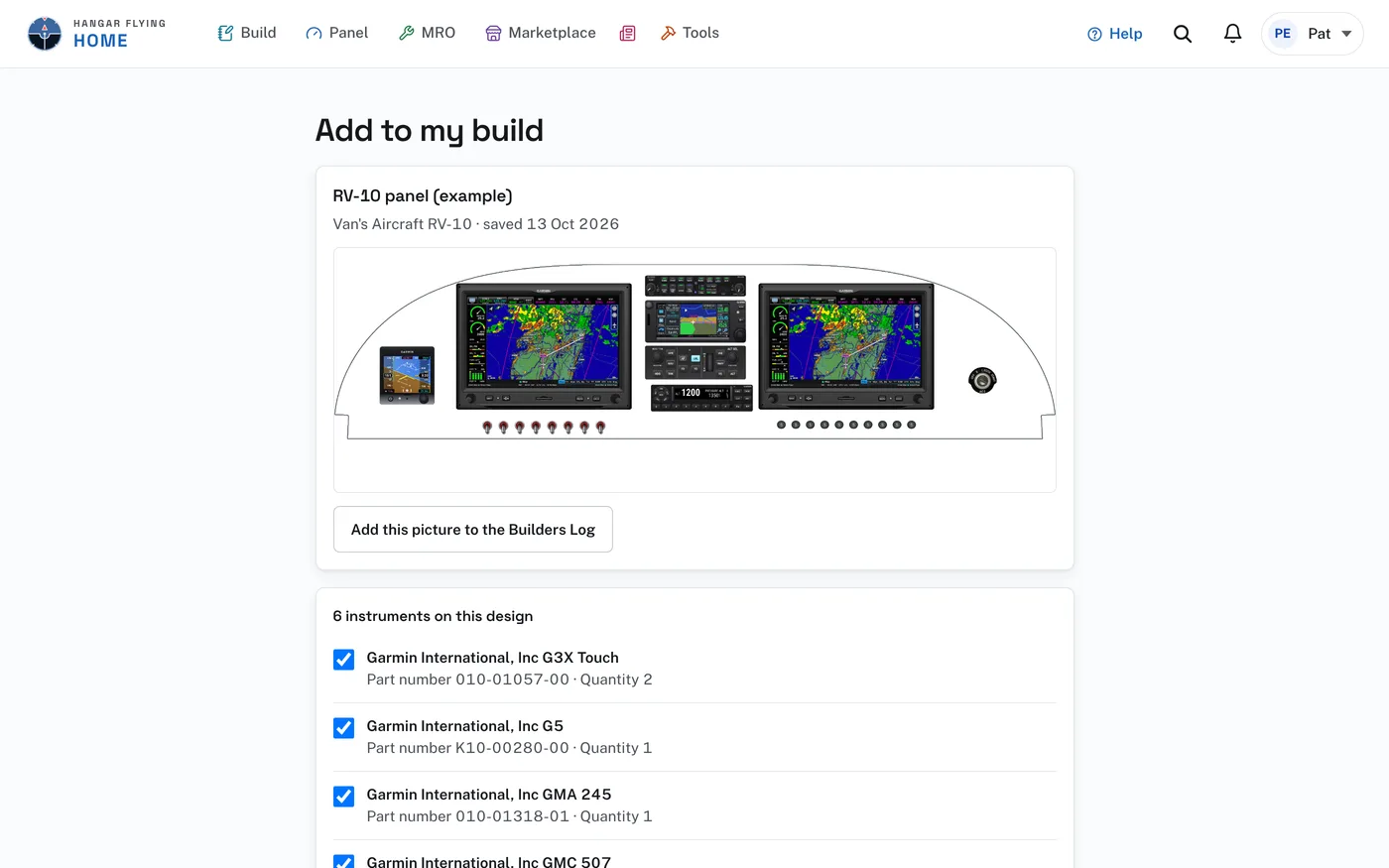
- Open the design in the Panel Designer and choose Add to my build in the menu bar. Add from a panel design, on the project’s Equipment list, opens the Panel Designer for this.
- The Add to my build page lists the instruments on the design, each once, with its part number and quantity. One already on the equipment list is marked and is not added again.
- Under the design’s picture, Add this picture to the Builders Log puts the picture of the panel in the aircraft’s log as a draft entry of its own, dated today. Open it takes you to the entry to write what you did and sign it.
- If your account holds more than one aircraft, choose the aircraft.
- Uncheck any instrument you do not want, then press Add to the equipment list of your aircraft.
The instruments arrive as planned, each marked with the name of the design it came from. They show under Planned on the project’s Equipment list. When one is installed, press Record as installed there and enter its serial number and the date.
Add to my build needs an aircraft on your account. A Builders Log project is one, so start the project first.
To send a POH figure to the log:
- In the Panel Designer, open POH figure on the design.
- Press Add to build. With more than one project, choose which build.
- The page answers that it was added as a draft entry. Press Open the entry.
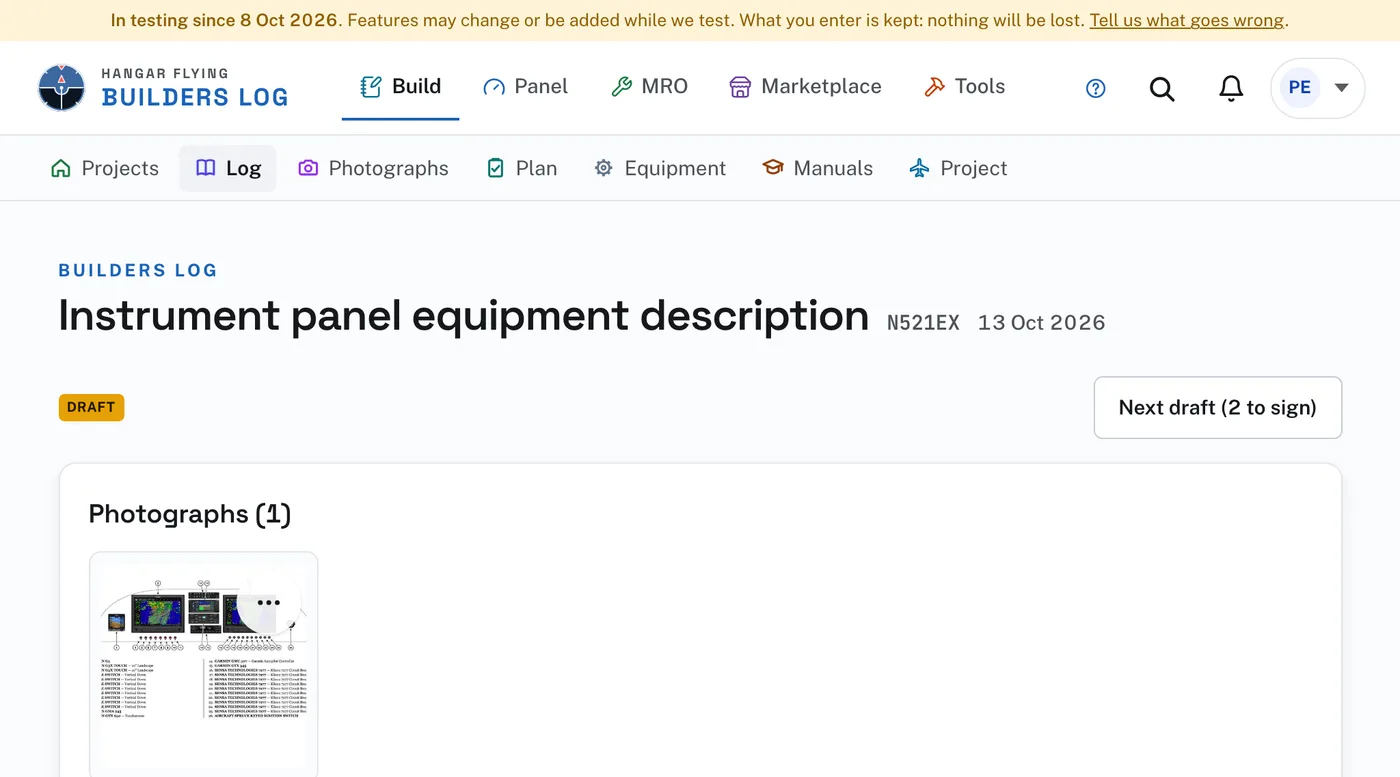
The entry is a draft dated today, titled "Instrument panel equipment description", with the figure’s page in it. It has no section and no words yet. Write it up, and sign it when it is right. The same figure sent twice is not added again.