
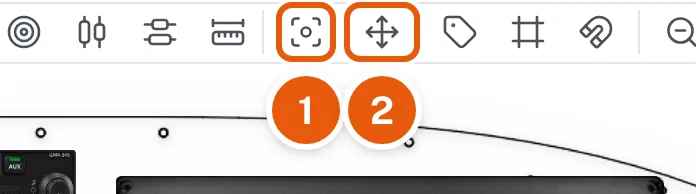
Select the instrument and click Center On Panel in the tool row (1 in the picture).
The instrument moves to the exact center of the panel, both across and up and down. It works on a construction line too.
Select the instrument and click Center On Panel in the tool row (1 in the picture).
The instrument moves to the exact center of the panel, both across and up and down. It works on a construction line too.
Not what you needed? Search Help or ask us