
A discrepancy report is one thing found that needs dealing with. It is raised from a directive card, from a service document, or in your own words with “Record a discrepancy” on the Inspection or Discrepancies page. It gets a number you can quote, DR-2026-0001, and it is listed on the Discrepancies page with the open reports, the deferred reports, or the completed reports.
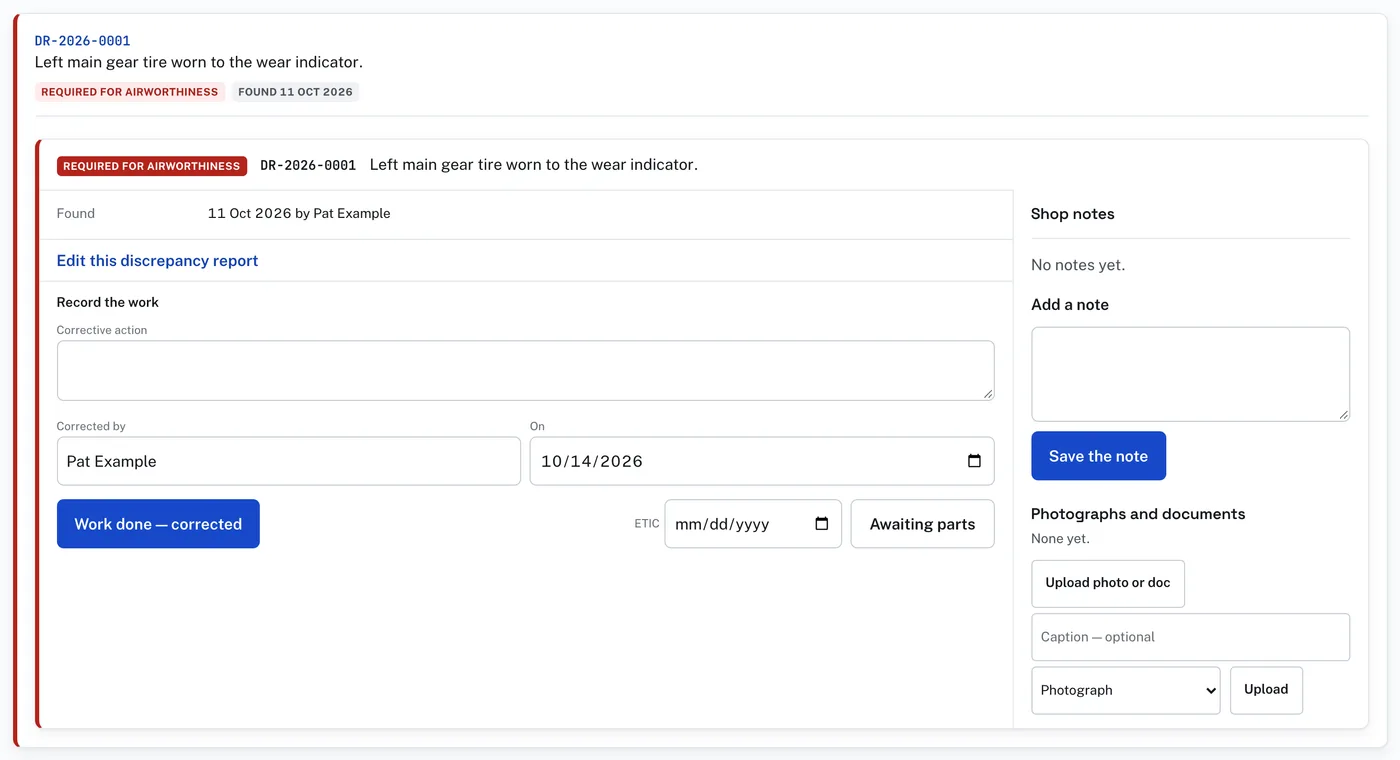
Two kinds, and the difference matters:
- Required for airworthiness. Open items stop the aircraft being approved for return to service. There is no owner decision.
- Recommended. The owner decides with Approve, Defer or Decline. Who recorded it and who decided are both on the record. A declined report stays visible.
A report being worked moves through these, and its chip says which:
- Parts on order, with the ETIC.
- Corrected — awaiting inspection: the corrective action as it will read in the record, who corrected it, and the date.
- “Inspected and signed off — write the logbook entry”: the inspector’s name and certificate, and for a recurring AD when it is next due. This writes the maintenance record entry, with the discrepancy stated above the corrective action. The chip then reads Approved for return to service.
The report’s words can be corrected with “Edit this discrepancy report” until the entry is written. One raised by accident can be removed with “Delete this report”, but only while it is untouched: no decision, no work, no entry. After that the record keeps it, and Decline is the way to close it.