
14 CFR 43.13(a) requires the work to be done by the methods the manufacturer sets out, so a manual is the standard your signature is given against. Each aircraft has a Maintenance & Parts Manuals page, Manuals in its menu.
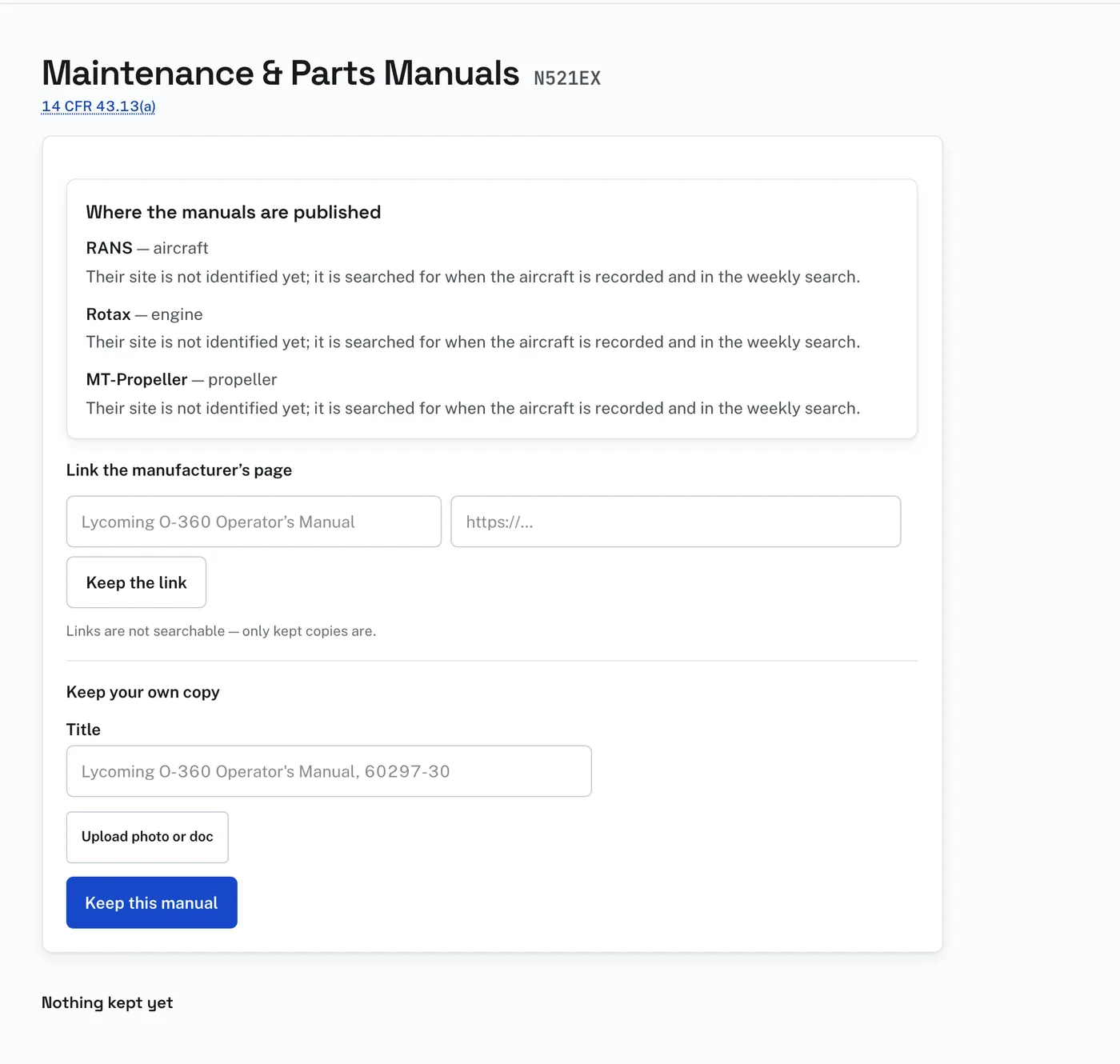
Two ways to keep one:
- “Link the manufacturer’s page”: enter a title and the address and press “Keep the link”. A link cannot go out of date against a revision. Links are not searchable; only kept copies are.
- “Keep your own copy”: enter a title, press “Upload photo or doc” to choose the PDF or photograph, and press “Keep this manual”. Use this for what is behind a login, on a disc, or out of print.
The site also holds a library of manufacturer manuals and reference documents as copies. Documents filed for the aircraft’s type are listed under “In the library”. For each, press “Keep with this aircraft” or “Not this one”.
The site also looks for manuals itself. When an aircraft is added, when a part is recorded, when you press “Search for this aircraft’s manuals”, and each week for the aircraft longest unsearched, it searches the web for the manuals covering the airframe, engine, propeller and recorded parts. What it finds is a proposal. Nothing is adopted until you say so.
Ruling on what was found:
- “Yes, keep it” files it with the aircraft’s manuals.
- “Not this one” takes it away and it is not offered again.
A manual you keep as a copy is read page by page. Type what you need in the search box on the page, “oil change”, “nose gear torque”, a part number, and it returns the passage and the page it is on, from every kept manual on that aircraft. Scanned manuals work as well as modern PDFs.
A copy is served only to signed-in accounts that hold the aircraft’s record. There is no public address for it.