
Maintenance records is Records in the aircraft’s menu and the Logbooks & Records card on its page. From the top it has “Make an entry by hand”, Entries, Original logbooks, Photographs and documents, and Complied with.
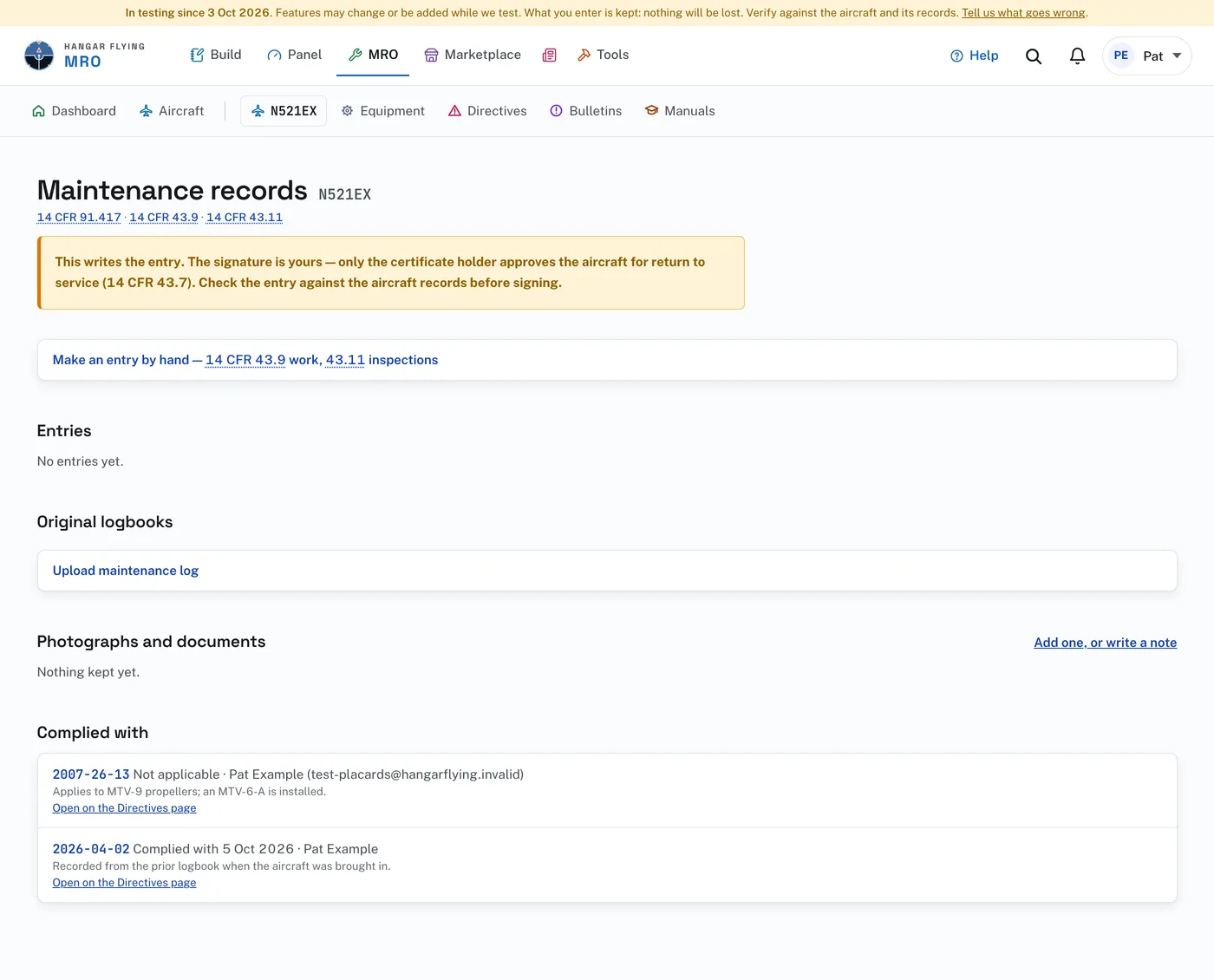
An entry is written to the wording the regulations require. For an annual, the certifying statement is quoted from 14 CFR 43.11. For a condition inspection it is the operating-limitations wording, “in a condition for safe operation”. If something the rule requires is missing, the page names it and does not save an incomplete record. The site writes the entry; the signature is yours.
A signed entry can never be edited or deleted. There is no administrator exception. A correction is a new entry that refers to the old one, as on paper.
Most entries are written for you. When a discrepancy report is inspected and approved for return to service, the entry is written as 14 CFR 43.9(a) requires: the discrepancy, the corrective action, “In accordance with” the directive, the date, who did the work, and the signature line. “Next due” for a recurring AD is the AD status 14 CFR 91.417(a)(2)(v) requires. Other entries are made with “Make an entry by hand”.
The paper books belong here too, under Original logbooks:
- Press “Upload maintenance log” and start one book each for the airframe, the engine and the propeller.
- Upload its pages as photographs or a scanned PDF, in order.
- Each page is read into entries: the date, the time in service, the work as written, the signature, and any directives cited. Each entry links to the page it was read from.
The signed page in the book remains the record. 14 CFR 91.417 requires the owner to keep it, and 91.419 transfers it with the aircraft at sale. Parts the entries say were installed, replaced, overhauled or inspected are recorded on the Equipment page with a “from the logbook” chip, and a part already recorded is left as it is. If the book names an airframe serial number that is not this aircraft’s, the book’s page says so at the top.
Where the reader was unsure, the entry is marked “Check against the page”. Open the scan beside the entry, read the two together, and press “Agrees with the page”. Nothing read from a book becomes a directive disposition or a discrepancy report until a person agrees.
Complied with, at the foot, lists what has been complied with. Each line opens the entry or the uploaded logbook page behind it. “Add one, or write a note”, beside Photographs and documents, opens Notes and photographs.