
MRO starts at the Dashboard. From the top it shows your aircraft, a For your review card when something waits, the Coming up list, and the calendar. “Add an aircraft” and “All aircraft” are at the top right.
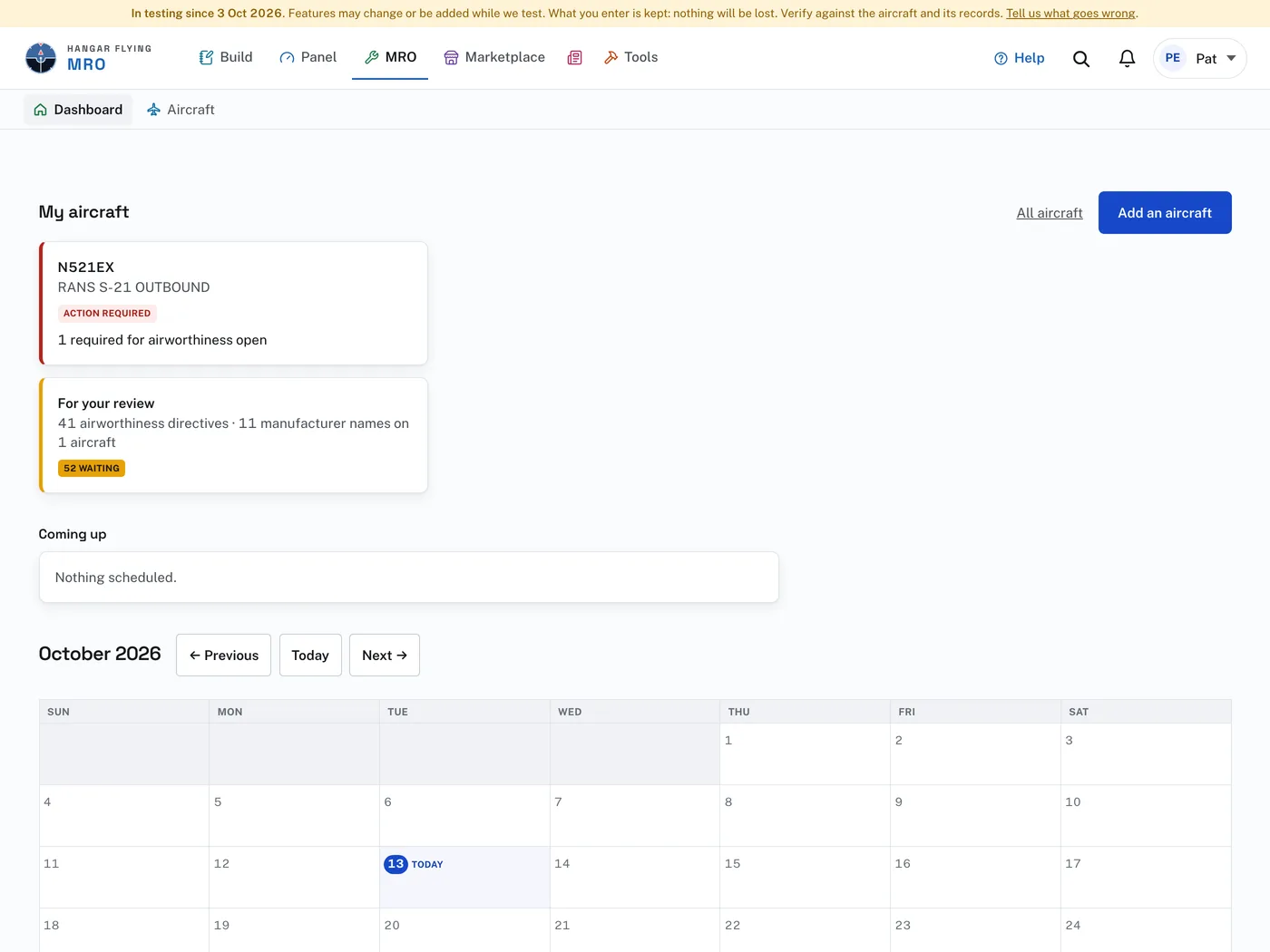
Each aircraft card carries a chip with its standing and opens the aircraft. Red means something is overdue or required for airworthiness. Amber means something waits on a person: an open discrepancy report, an item coming due, or directives still to determine. A quiet green means nothing waits. An aircraft in the shop reads In the shop; one booked in reads Scheduled.
Coming up is everything ahead, one section per aircraft, with anything overdue first. Dates arrive there from shop scheduling, AD next-due dates, the annual or condition inspection, deferred work, and parts on order. With nothing ahead it reads “Nothing scheduled.”
The calendar is where scheduling happens:
- Press a day to schedule an aircraft in, or to check one in, on that date.
- Drag a chip from one day to another to move it.
- Previous, Today and Next change the month.
- This month, under the calendar, lists the same days in reading order.
Grids of cards can be put in your own order: press and hold a card until it lifts, drag it, and drop it. The order is yours alone and your phone follows it. What a card says is decided by the record behind it, never by where it sits.