
Open an aircraft and its details lead the page: manufacturer, model and serial number, the category of its airworthiness certificate, its times, and its last inspection. Three buttons sit with them: “Edit these details”, “Shop status” and “Print a QR label”.
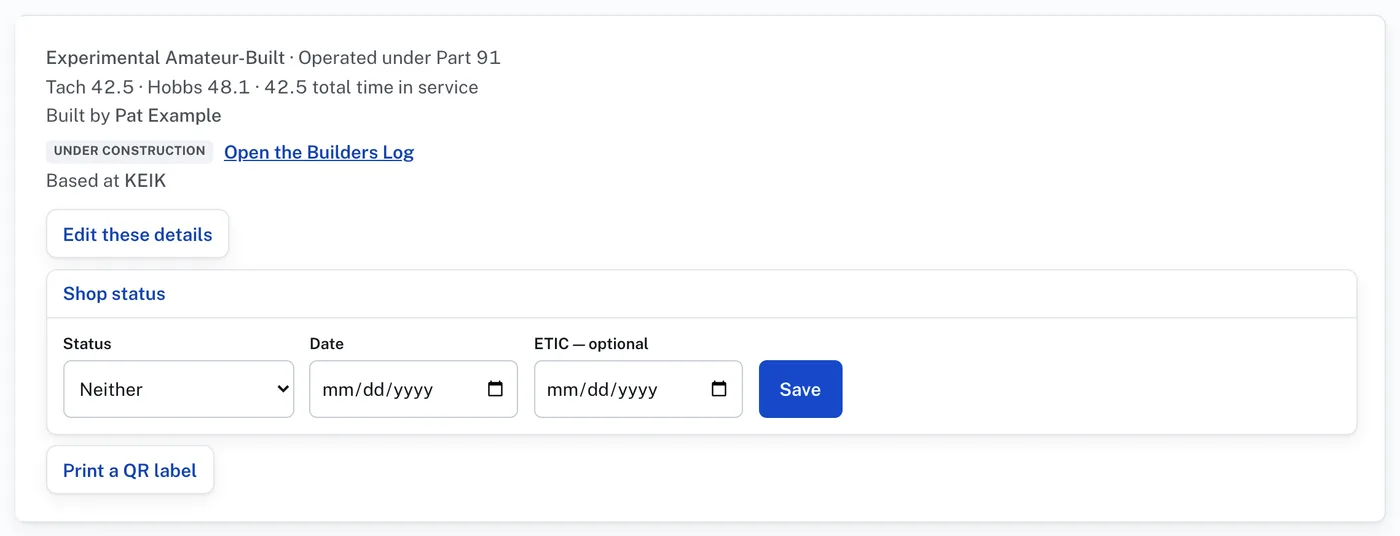
“Shop status” says whether the aircraft is booked in or in the shop. It is what the Dashboard’s Scheduled and In the shop chips read:
- Press “Shop status”.
- Choose the Status: “Scheduled to come in”, “In the shop now”, or “Neither”.
- Enter the Date. The ETIC is optional.
- Press Save. The button then reads “Scheduled for” or “In the shop since” with the date, and “change”.
“Print a QR label” opens a card with the registration, the manufacturer, model and serial number, and a QR code. Press “Print the label”; only the card prints. Cut it out and place it on the aircraft. Scanning the code with a phone camera opens this aircraft’s record. The record still asks for a sign-in: the label is not a way around it.
Under the heading “What this aircraft needs” is a card for each part of the job: Due & Coming Due, Logbooks & Records, Equipment, Discrepancy Reports, Inspection, Airworthiness Directives, Service Bulletins, STCs, Maintenance & Parts Manuals, Return to Service, Flight Log and Users & Techs. Every card carries a chip saying where it stands, so what needs doing shows without opening anything.
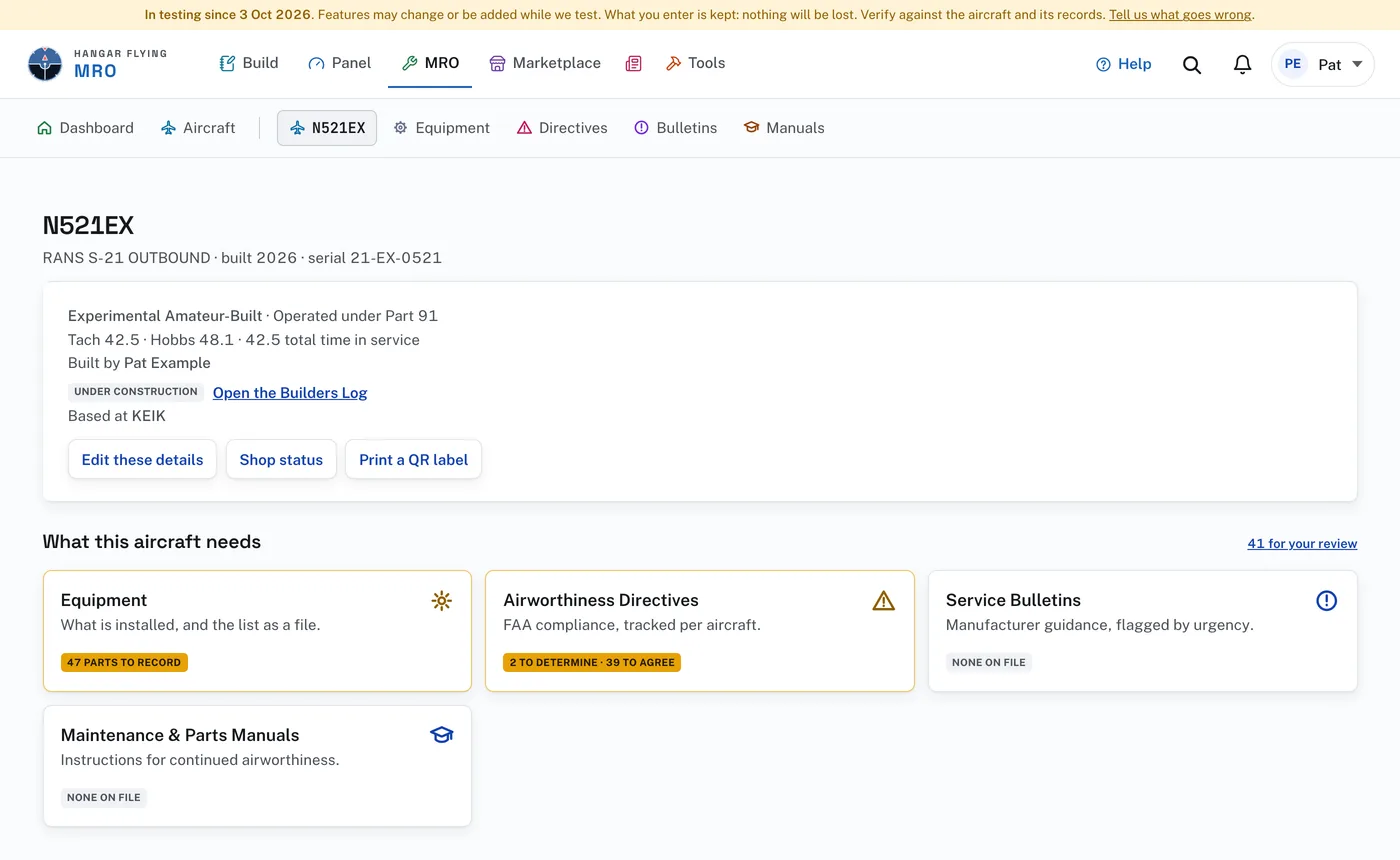
The chips read like this:
- Amber means something is waiting on you: “41 parts to record”, “42 to determine”, “1 to correct · stops return to service”.
- Green means settled: “All determined”, “Nothing open”, “Approved”.
- Quiet grey means there is nothing to do there yet: “Record the parts first”, “None on file”, “Not approved”.
Press and hold a card until it lifts and drag it where you want it. The order is yours alone, and the aircraft’s menu follows it.
There is no button to mark anything done. A chip changes when the work behind it is in the record: the serial number entered, the pages read, the determination recorded.
An aircraft still under construction in the Builders Log shows a chip saying so, a link “Open the Builders Log”, and only four cards: Equipment, Airworthiness Directives, Service Bulletins, and Maintenance & Parts Manuals.
A line above the cards appears when something is coming due, and a link beside the heading counts what waits for your review. On a finished aircraft the Users & Techs card reads “Being built”: that page is not written yet. “Archive” is at the foot of the page.